

The Java comments are the statements in a program that are not executed by the compiler and interpreter.

Why do we use comments in a code?
- Comments are used to make the program more readable by adding the details of the code.
- It makes easy to maintain the code and to find the errors easily.
- The comments can be used to provide information or explanation about the variable, method, class, or any statement.
- It can also be used to prevent the execution of program code while testing the alternative code.
Types of Java Comments
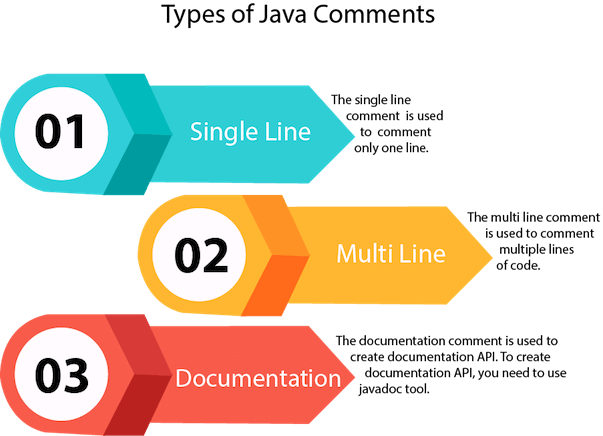
There are three types of comments in Java.
- Single Line Comment
- Multi Line Comment
- Documentation Comment
1) Java Single Line Comment
The single-line comment is used to comment only one line of the code. It is the widely used and easiest way of commenting the statements.
Single line comments starts with two forward slashes (//). Any text in front of // is not executed by Java.
Syntax:
Let's use single line comment in a Java program.
CommentExample1.java
Output:
10
2) Java Multi Line Comment
The multi-line comment is used to comment multiple lines of code. It can be used to explain a complex code snippet or to comment multiple lines of code at a time (as it will be difficult to use single-line comments there).
Multi-line comments are placed between /* and */. Any text between /* and */ is not executed by Java.
Syntax:
Let's use multi-line comment in a Java program.
CommentExample2.java
Output:
10
Note: Usually // is used for short comments and /* */ is used for longer comments.
3) Java Documentation Comment
Documentation comments are usually used to write large programs for a project or software application as it helps to create documentation API. These APIs are needed for reference, i.e., which classes, methods, arguments, etc., are used in the code.
To create documentation API, we need to use the javadoc tool. The documentation comments are placed between /** and */.
Syntax:
javadoc tags
Some of the commonly used tags in documentation comments:
| Tag | Syntax | Description |
|---|---|---|
| {@docRoot} | {@docRoot} | to depict relative path to root directory of generated document from any page. |
| @author | @author name - text | To add the author of the class. |
| @code | {@code text} | To show the text in code font without interpreting it as html markup or nested javadoc tag. |
| @version | @version version-text | To specify "Version" subheading and version-text when -version option is used. |
| @since | @since release | To add "Since" heading with since text to generated documentation. |
| @param | @param parameter-name description | To add a parameter with given name and description to 'Parameters' section. |
| @return | @return description | Required for every method that returns something (except void) |
Let's use the Javadoc tag in a Java program.
Calculate.java
Compile it by javac tool:
Create Document

Create documentation API by javadoc tool:
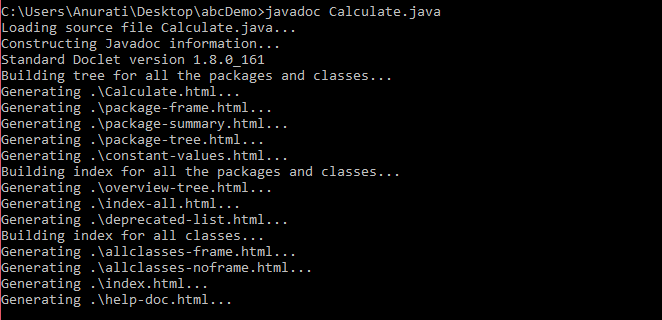
Now, the HTML files are created for the Calculate class in the current directory, i.e., abcDemo. Open the HTML files, and we can see the explanation of Calculate class provided through the documentation comment.
Are Java comments executable?
Ans: As we know, Java comments are not executed by the compiler or interpreter, however, before the lexical transformation of code in compiler, contents of the code are encoded into ASCII in order to make the processing easy.
Test.java
Output:

The above code generate the output because the compiler parses the Unicode character \u000d as a new line before the lexical transformation, and thus the code is transformed as shown below:
Test.java
Thus, the Unicode character shifts the print statement to next line and it is executed as a normal Java code.
